

Collaboration is currently available on self-hosted deployments only. Support for Dify Cloud is planned for a future release.
Comments and collaborator cursors can be hidden from the zoom menu in the bottom-right corner of the canvas.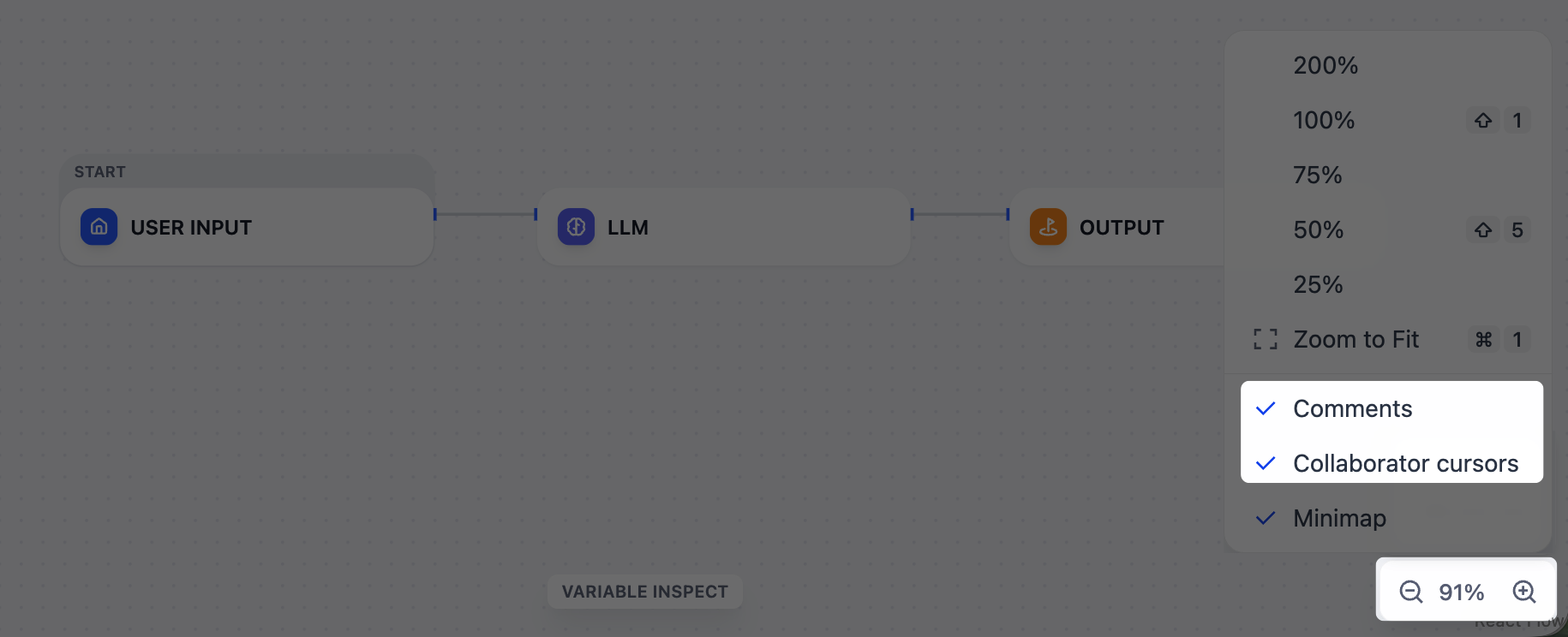
Real-Time Editing
Workspace members with editor permissions or above can edit the same workflow simultaneously. When two members change the same element at the same time, the last edit wins.Comments
Right-click an empty area of the canvas and select Add Comment to leave a note. To drop multiple comments in a row, pressC to enter comment mode. Comments persist across workflow versions.
If you @mention a workspace member in a comment, they’ll receive an email notification.
Anyone with access to the app can read comments; adding, editing, or resolving requires editor permissions or above.
For self-hosted deployments:
- If you access Dify on a host other than
localhost, setNEXT_PUBLIC_SOCKET_URLto a WebSocket URL your browser can reach (e.g.,wss://dify.example.com). - To disable collaboration, set
ENABLE_COLLABORATION_MODEtofalse. If using Docker Compose, also removecollaborationfromCOMPOSE_PROFILES.