


You Will Learn
- Methods for building an Agent using Dify
- Basic concepts of Agent
- Fundamentals of prompt engineering
- Tool usage
- Concepts of large model hallucinations
1. Set Stability API Key
Click here to go to the Stability API key management page. If you haven’t registered yet, you will be asked to register before entering the API management page. After entering the management page, clickcopy to copy the key.

- Log in to Dify
- Enter Tools
- Select Stability
- Click
Authorize

- Fill in the key and save
2. Configure Model Providers
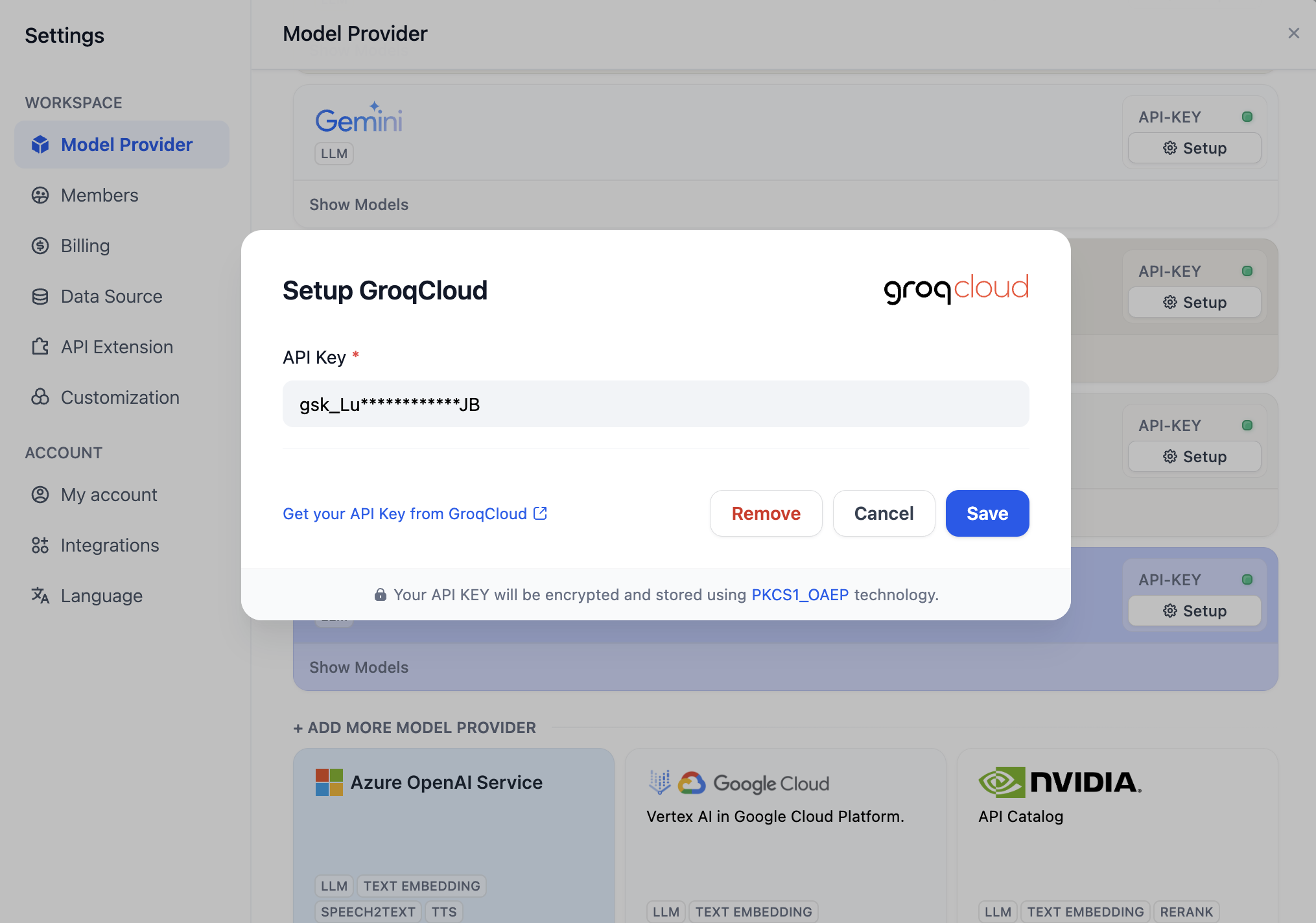
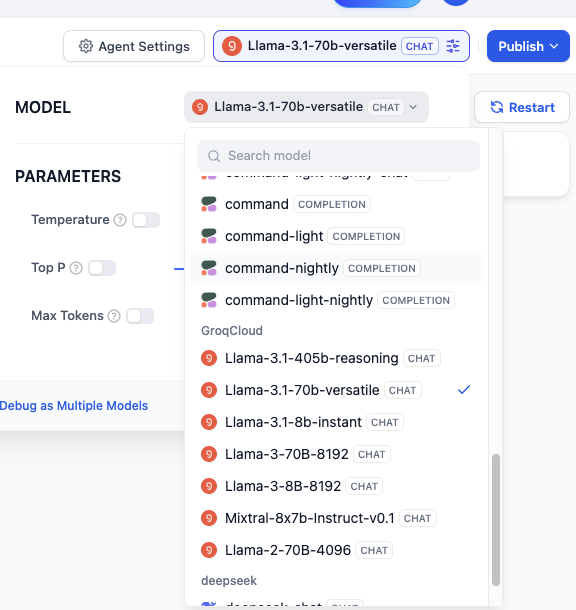
To optimize interaction, we need an LLM to concretize user instructions, i.e., to write prompts for generating images. Next, we will configure model providers in Dify following these steps. The Free version of Dify provides 200 free OpenAI message credits. If the message credits are insufficient, you can customize other model providers by following the steps in the image below: Click Your Avatar - Settings - Model Provider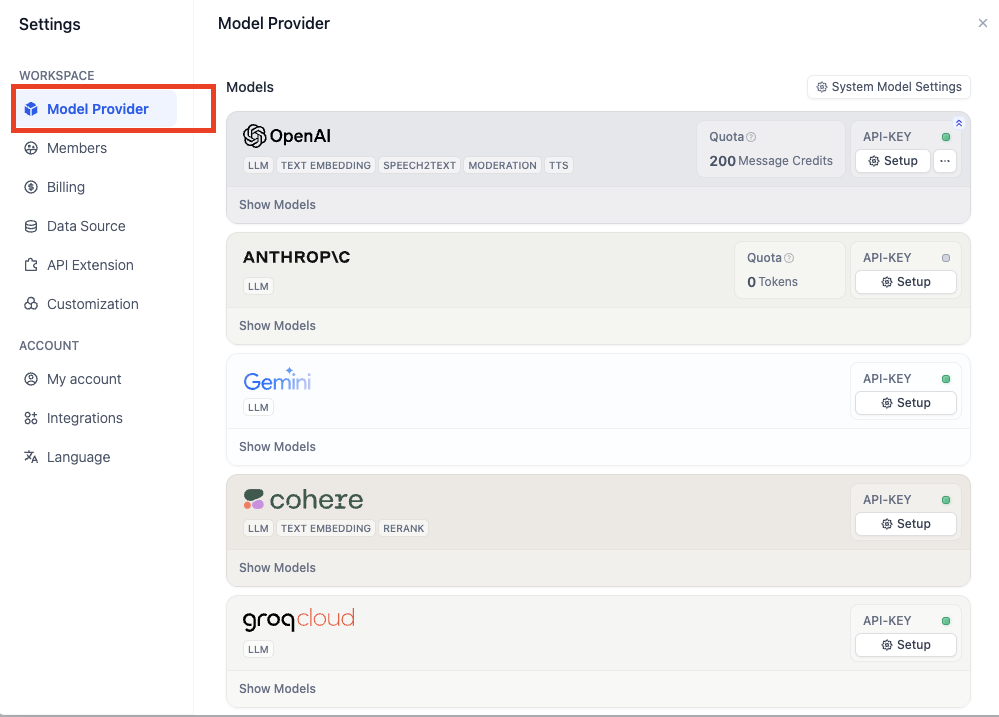

3. Build an Agent
Back to Dify - Studio, select Create from Blank.
What is an AgentAn Agent is an AI system that simulates human behavior and capabilities. It interacts with the environment through natural language processing, understands input information, and generates corresponding outputs. The Agent also has “perception” capabilities, can process and analyze various forms of data, and can call and use various external tools and APIs to complete tasks, extending its functional scope. This design allows the Agent to handle complex situations more flexibly and simulate human thinking and behavior patterns to some extent.
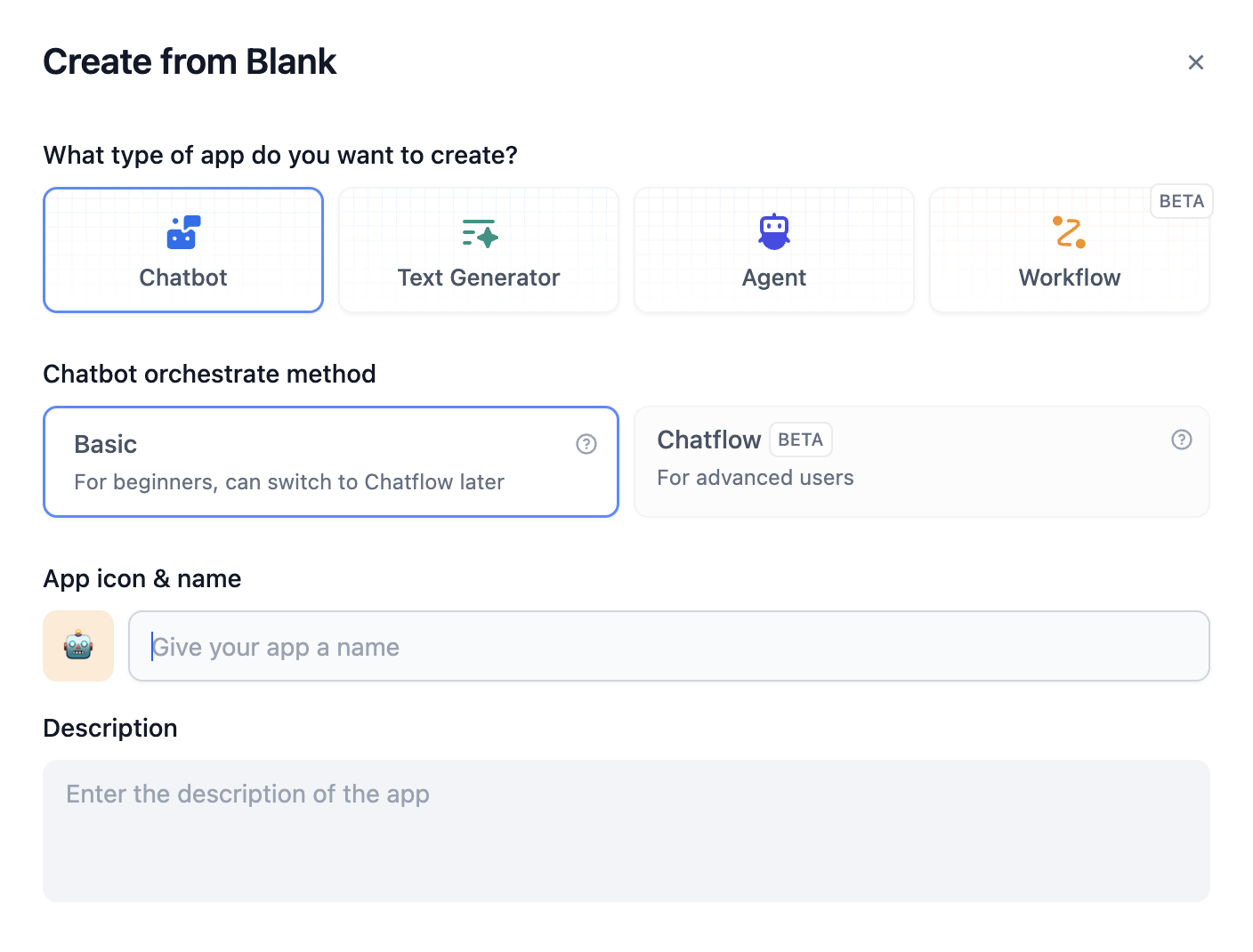
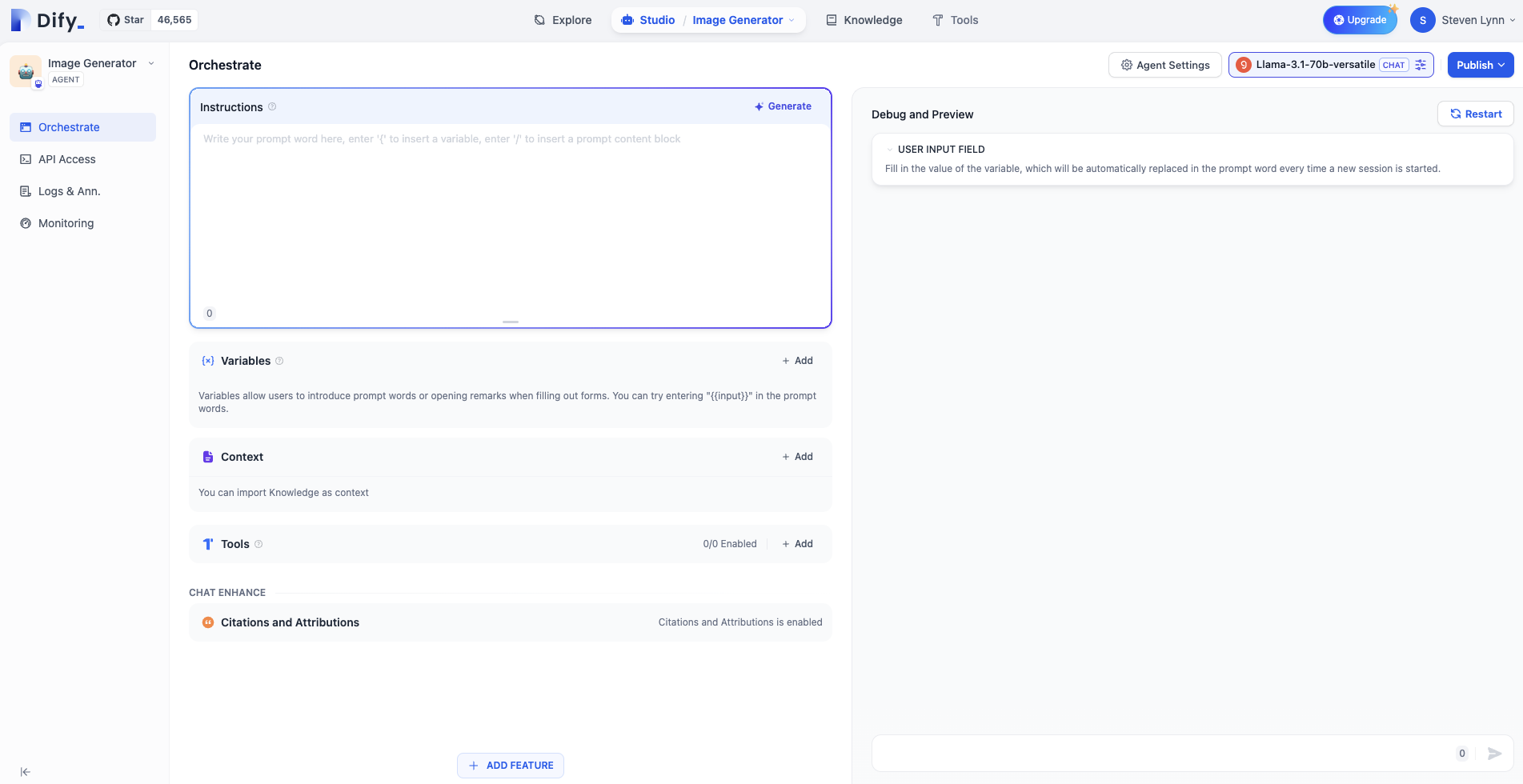
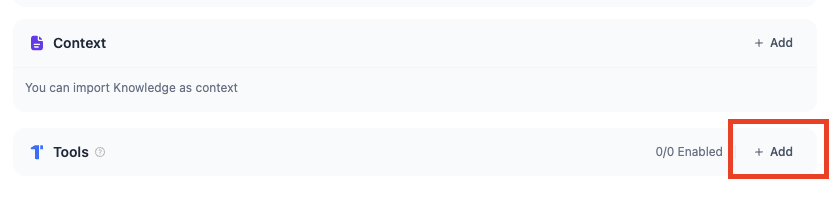
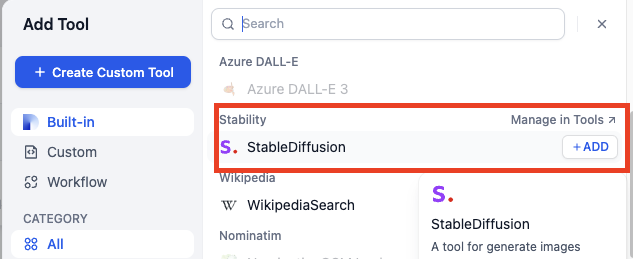
Write Prompts
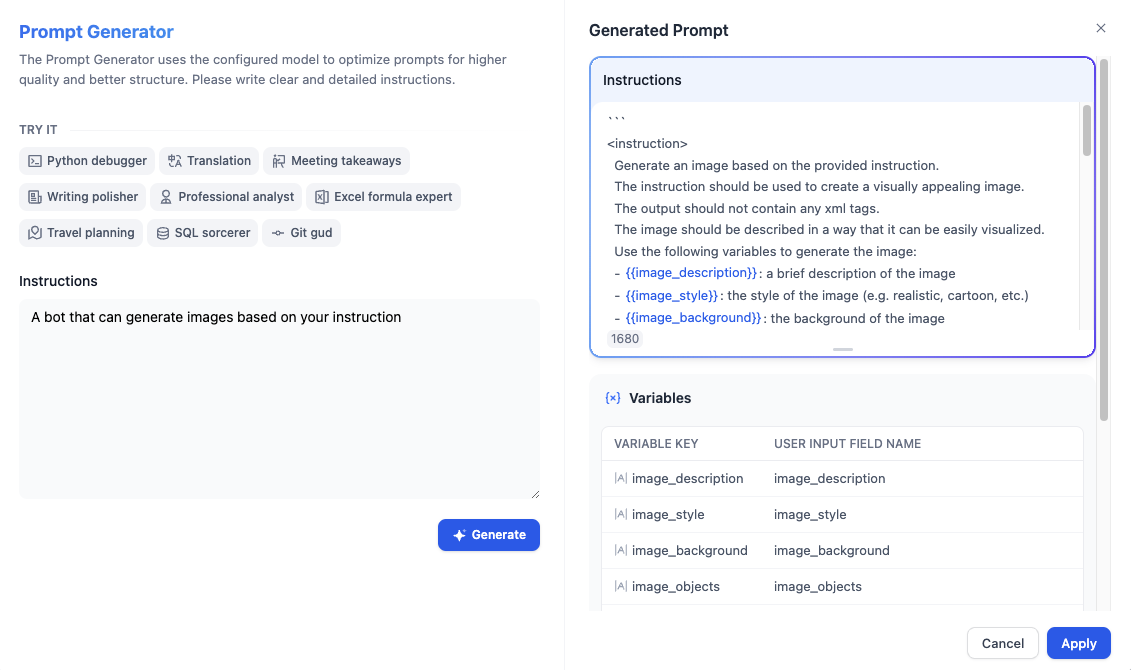
Prompts are the soul of the Agent and directly affect the output effect. Generally, the more specific the prompts, the better the output, but overly lengthy prompts can also lead to negative effects. The engineering of adjusting prompts is called Prompt Engineering. In this experiment, you don’t need to worry about not mastering Prompt Engineering; we will learn it step by step later. Let’s start with the simplest prompts:Don’t want to write prompts? Of course you can!
Click Generate in the upper right corner of Instructions.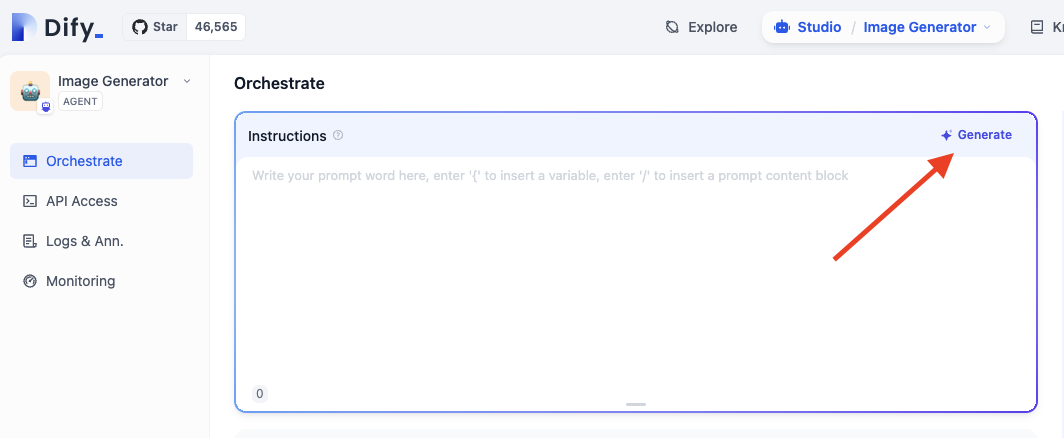
Publish
Click the publish button in the upper right corner, and after publishing, select Run App to get a web page for an online running Agent.
Question 1: How to Specify the Style of Generated Images?
We can add style instructions in the user’s input command, for example: Anime style, draw a girl holding an open book.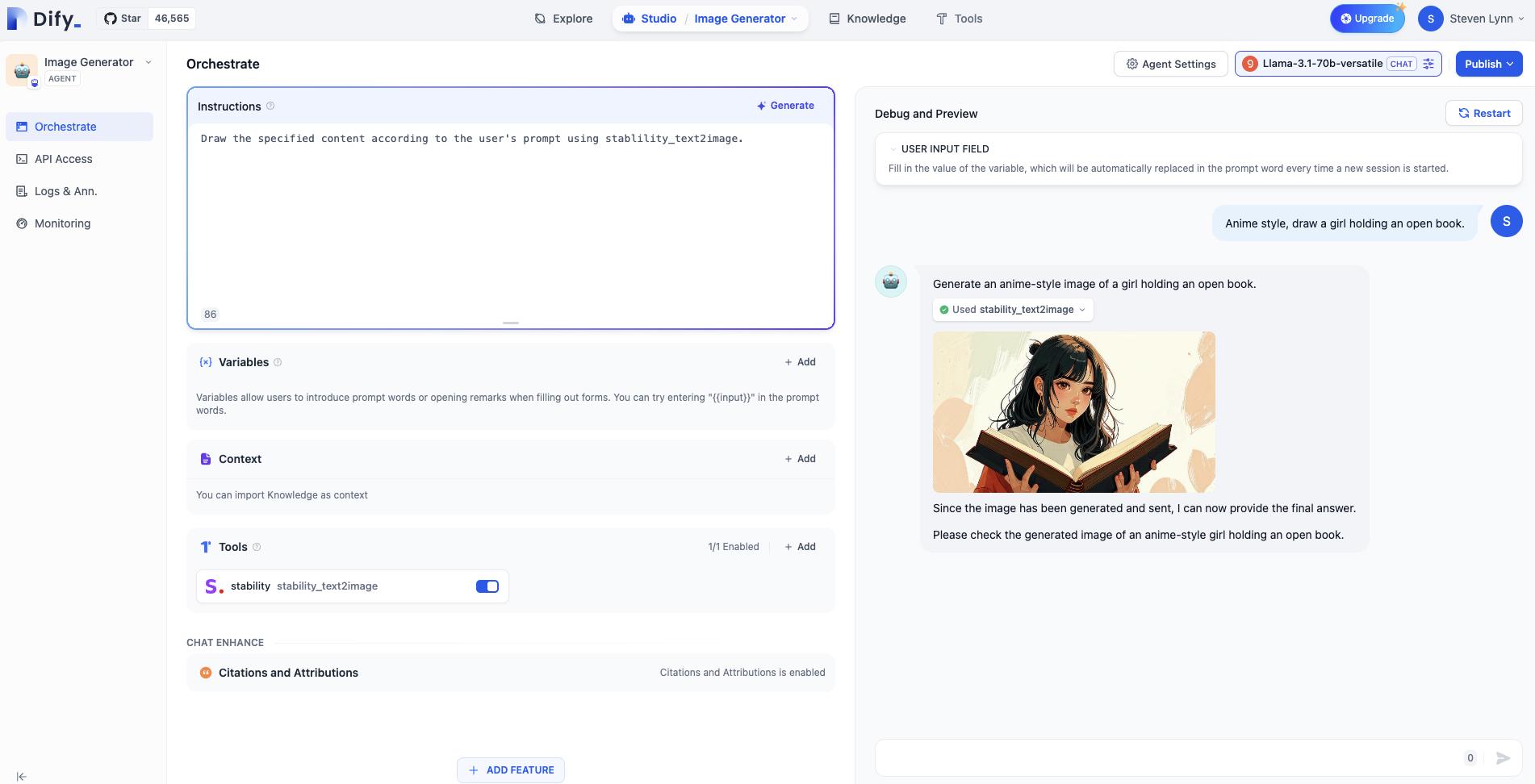
Question 2: How to Reject Certain Requests from Some Users?
In many business scenarios, we need to avoid outputting some unreasonable content, but LLMs are often “dumb” and will follow user instructions without question, even if the output content is wrong. This phenomenon of the model trying hard to answer users by fabricating false content is called model hallucinations. Therefore, we need the model to refuse user requests when necessary. Additionally, users may also ask some content unrelated to the business, and we also need the Agent to refuse such requests. We can use markdown format to categorize different prompts, writing the prompts that teach the Agent to refuse unreasonable content under the “Constraints” title. Of course, this format is just for standardization, and you can have your own format.
