Skip to main content
Dify Docs home page
Search...
⌘K
Use Dify
Get Started
Introduction
30-Minute Quick Start
Key Concepts
Build
Workflow & Chatflow
Basic Apps
App Toolkit
Publish
Overview
Web App
MCP Server
API
Marketplace
Monitor
Dashboard
Logs
Annotation System
Integrations
Knowledge
Overview
Create
Manage
Test Retrieval
Integrate in Apps
Request Rate Limit
CLOUD
Workspace
Overview
Model Providers
Plugins
Tools
Manage Apps
Manage Members
Personal Settings
Billing
CLOUD
API Extension
Tutorials
Workflow 101
Simple Chatbot
Twitter Account Analyzer
Customer Service Bot With Knowledge Base
AI Image Generation App
Article Reader Using File Upload
Changelog
Studio
Latest
English
Dify Docs home page
Latest
English
Search...
⌘K
Changelog
Studio
Studio
Search...
Navigation
多模型调试
多模型调试
Copy page
Copy page
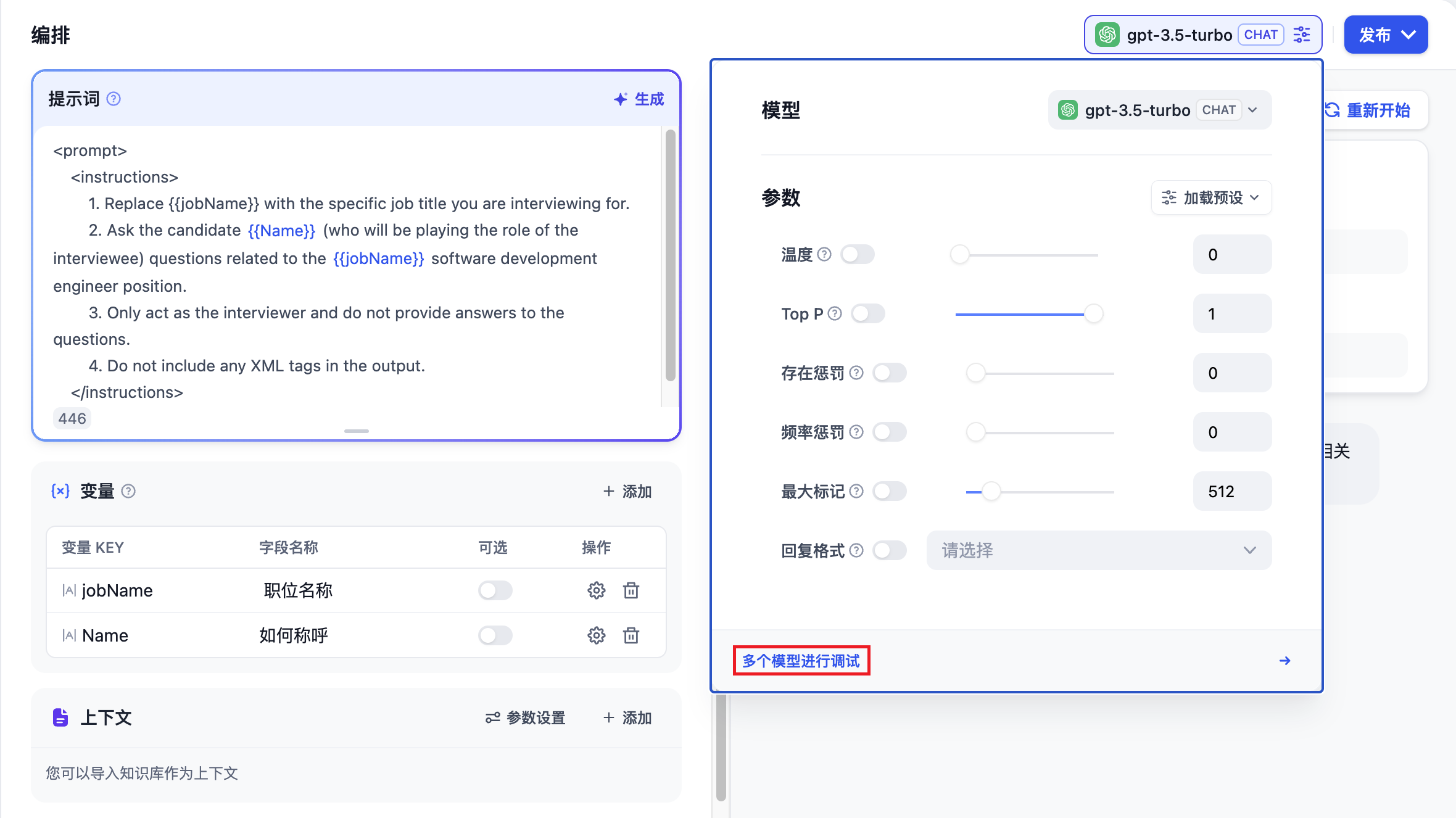
聊天助手应用类型支持
“多个模型进行调试”
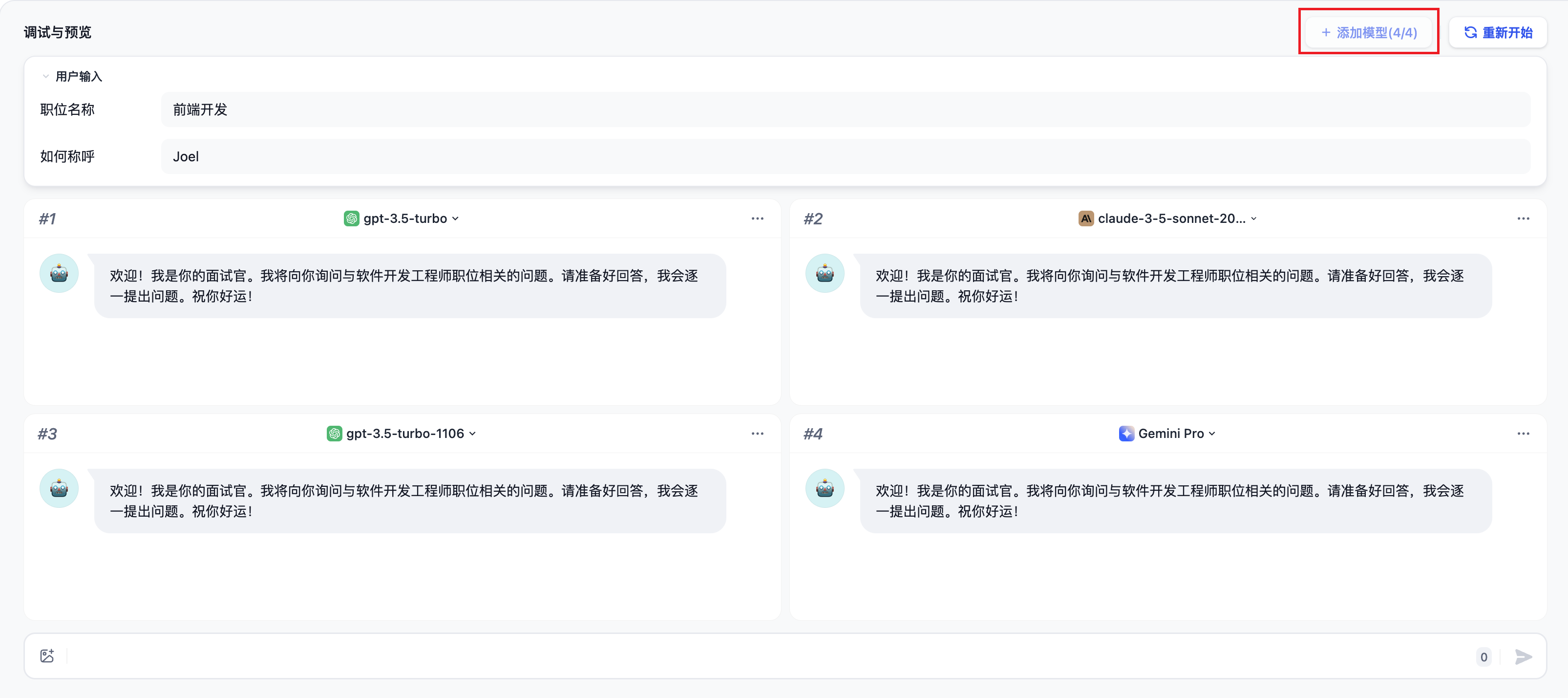
功能,你可以同时批量检视不同模型对于相同问题的回答效果。
最多支持同时添加 4 个大模型。
调试时如果发现效果较好的模型,点击
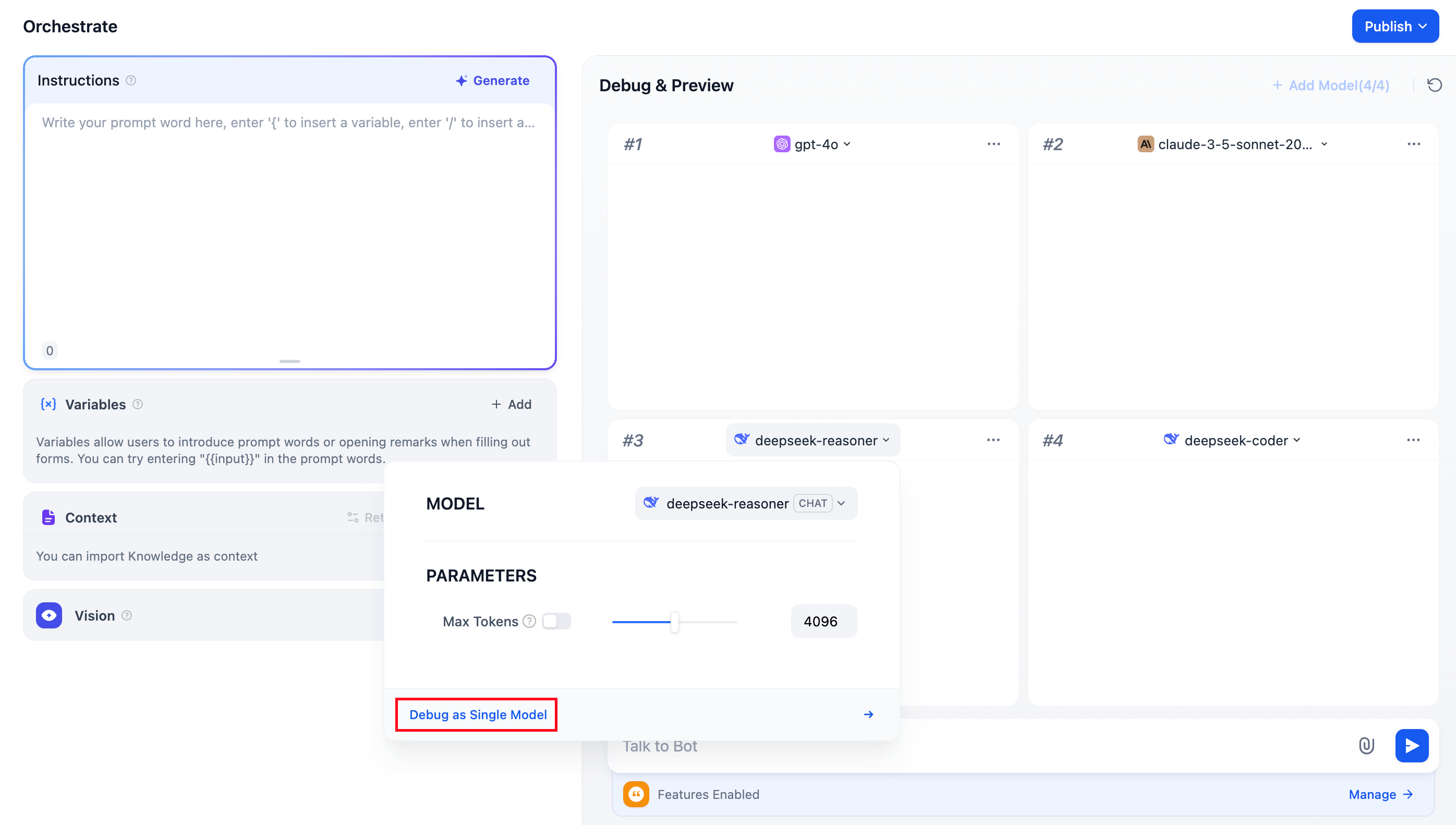
“单一模型进行调试”
即可进入至当前模型的单独调试页面。
常见问题
1. 添加大模型时没有看到其它模型应该如何处理?
前往
“增加新供应商”
,按照页面提示手动添加多个模型的 Key。
2. 如何退出多模型调试模式?
选择任意模型,点击
“单一模型进行调试”
选项即可退出多模型调试模式。
Was this page helpful?
Yes
No
⌘I
On this page
常见问题
1. 添加大模型时没有看到其它模型应该如何处理?
2. 如何退出多模型调试模式?


 最多支持同时添加 4 个大模型。
 调试时如果发现效果较好的模型,点击 “单一模型进行调试” 即可进入至当前模型的单独调试页面。