⚠️ 本文档由 AI 自动翻译。如有任何不准确之处,请参考
英文原版。
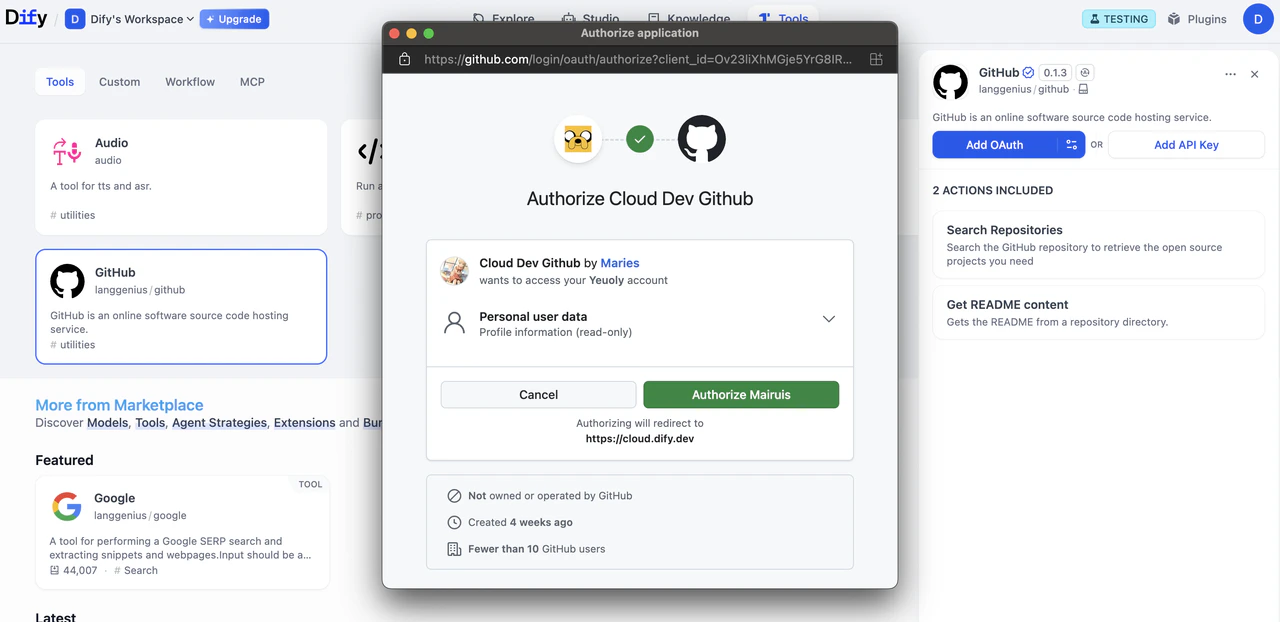
本指南将教你如何为工具插件构建 OAuth 支持。
OAuth 是为需要访问第三方服务(如 Gmail 或 GitHub)用户数据的工具插件提供授权的更好方式。OAuth 允许工具在用户明确同意的情况下代表用户执行操作,而无需用户手动输入 API 密钥。
Dify 中的 OAuth 涉及两个独立的流程,开发者需要理解并为其进行设计。
流程 1:OAuth 客户端设置(管理员/开发者流程)
在 Dify Cloud 上,Dify 团队会为热门工具插件创建 OAuth 应用并设置 OAuth 客户端,省去用户自行配置的麻烦。自托管 Dify 实例的管理员必须完成此设置流程。
Dify 实例的管理员或开发者首先需要在第三方服务上将 OAuth 应用注册为受信任的应用程序。由此,他们将能够获取必要的凭证,以将 Dify 工具提供者配置为 OAuth 客户端。
以下是为 Dify 的 Gmail 工具提供者设置 OAuth 客户端的步骤示例:
- 导航至 APIs & Services > OAuth consent screen
- 为公共插件选择 External 用户类型
- 填写应用名称、用户支持邮箱和开发者联系方式
- 如需要,添加授权域名
- 测试阶段:在 Test users 部分添加测试用户
- 前往 APIs & Services > Credentials
- 点击 Create Credentials > OAuth 2.0 Client IDs
- 选择 Web application 类型
- 将生成
client_id 和 client_secret。保存这些凭证。
在 OAuth 客户端配置弹窗中输入 client_id 和 client_secret,以将工具提供者设置为客户端。
在 Google OAuth 客户端页面上注册 Dify 生成的重定向 URI:
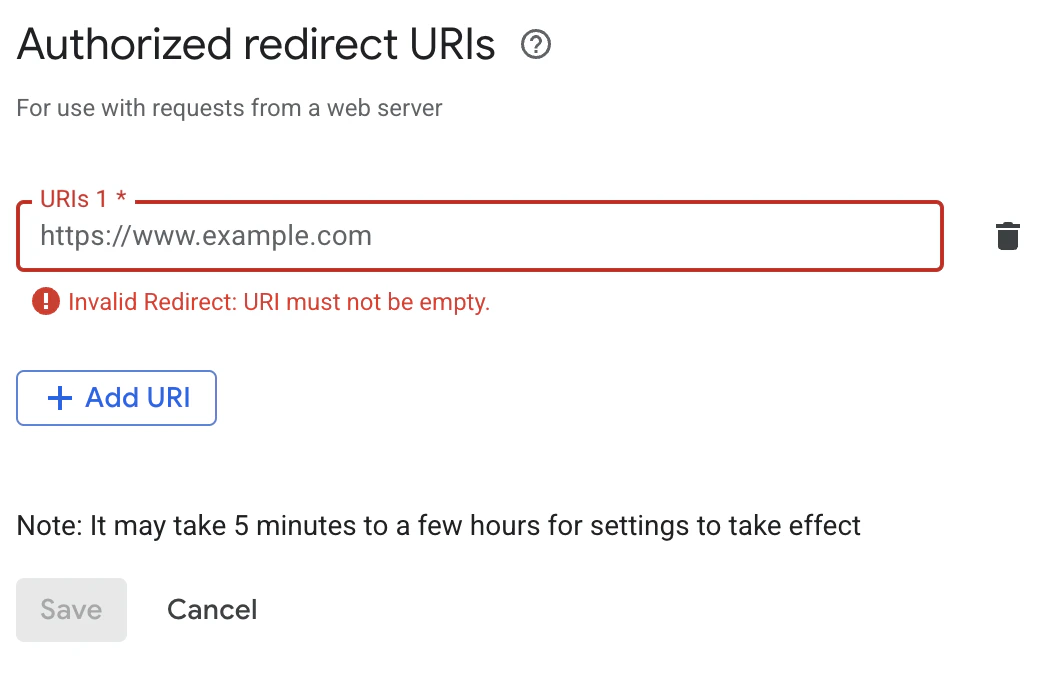
Dify 在 OAuth 客户端配置弹窗中显示 redirect_uri。它通常遵循以下格式:https://{your-dify-domain}/console/api/oauth/plugin/{plugin-id}/{provider-name}/{tool-name}/callback
对于自托管 Dify,your-dify-domain 应与 CONSOLE_WEB_URL 保持一致。
每个服务都有独特的要求,因此请务必查阅你所集成服务的具体 OAuth 文档。
流程 2:用户授权(Dify 用户流程)
配置 OAuth 客户端后,Dify 用户可以授权你的插件访问他们的个人账户。
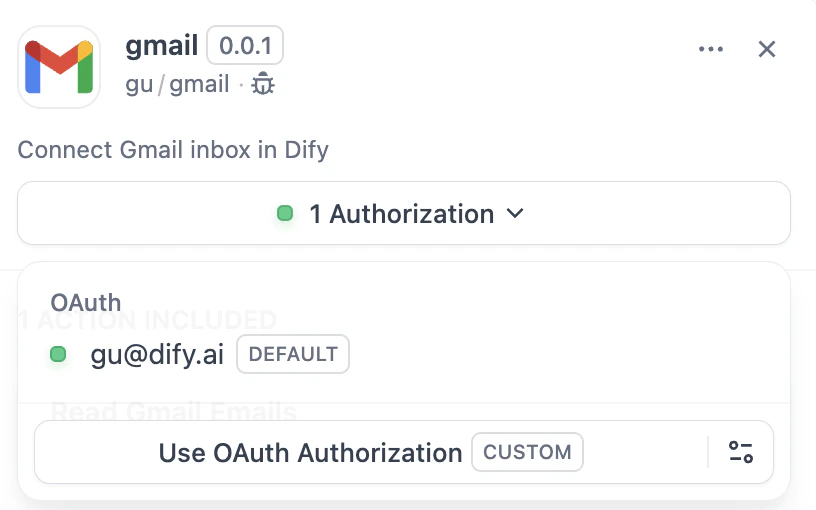
1. 在提供者清单中定义 OAuth Schema
提供者清单中的 oauth_schema 部分告诉 Dify 你的插件 OAuth 需要哪些凭证以及 OAuth 流程将产生什么。设置 OAuth 需要两个 schema:
client_schema
定义 OAuth 客户端设置的输入:
oauth_schema:
client_schema:
- name: "client_id"
type: "secret-input"
required: true
url: "https://developers.google.com/identity/protocols/oauth2"
- name: "client_secret"
type: "secret-input"
required: true
url 字段直接链接到第三方服务的帮助文档。这有助于遇到困惑的管理员/开发者。
credentials_schema
指定用户授权流程产生的内容(Dify 自动管理这些):
# also under oauth_schema
credentials_schema:
- name: "access_token"
type: "secret-input"
- name: "refresh_token"
type: "secret-input"
- name: "expires_at"
type: "secret-input"
同时包含 oauth_schema 和 credentials_for_provider 可提供 OAuth + API 密钥认证选项。
2. 在工具提供者中完成必需的 OAuth 方法
在实现 ToolProvider 的位置添加以下导入:
from dify_plugin.entities.oauth import ToolOAuthCredentials
from dify_plugin.errors.tool import ToolProviderCredentialValidationError, ToolProviderOAuthError
你的 ToolProvider 类必须实现以下三个 OAuth 方法(以 GmailProvider 为例):
在任何情况下都不应在 ToolOAuthCredentials 的凭证中返回 client_secret,因为这可能导致安全问题。
def _oauth_get_authorization_url(self, redirect_uri: str, system_credentials: Mapping[str, Any]) -> str:
"""
Generate the authorization URL using credentials from OAuth Client Setup Flow.
This URL is where users grant permissions.
"""
# Generate random state for CSRF protection (recommended for all OAuth flows)
state = secrets.token_urlsafe(16)
# Define Gmail-specific scopes - request minimal necessary permissions
scope = "read:user read:data" # Replace with your required scopes
# Assemble Gmail-specific payload
params = {
"client_id": system_credentials["client_id"], # From OAuth Client Setup
"redirect_uri": redirect_uri, # Dify generates this - DON'T modify
"scope": scope,
"response_type": "code", # Standard OAuth authorization code flow
"access_type": "offline", # Critical: gets refresh token (if supported)
"prompt": "consent", # Forces reauth when scopes change (if supported)
"state": state, # CSRF protection
}
return f"{self._AUTH_URL}?{urllib.parse.urlencode(params)}"
3. 在工具中访问令牌
你可以在 Tool 实现中使用 OAuth 凭证进行经过身份验证的 API 调用,如下所示:
class YourTool(BuiltinTool):
def _invoke(self, user_id: str, tool_parameters: dict[str, Any]) -> ToolInvokeMessage:
if self.runtime.credential_type == CredentialType.OAUTH:
access_token = self.runtime.credentials["access_token"]
response = requests.get("https://api.service.com/data",
headers={"Authorization": f"Bearer {access_token}"})
return self.create_text_message(response.text)
self.runtime.credentials 自动提供当前用户的令牌。Dify 自动处理刷新。
对于同时支持 OAuth 和 API_KEY 认证的插件,你可以使用 self.runtime.credential_type 来区分这两种认证类型。
4. 指定正确的版本
早期版本的插件 SDK 和 Dify 不支持 OAuth 认证。因此,你需要将插件 SDK 版本设置为:
dify_plugin>=0.4.2,<0.5.0.
在 manifest.yaml 中,添加最低 Dify 版本:
meta:
version: 0.0.1
arch:
- amd64
- arm64
runner:
language: python
version: "3.12"
entrypoint: main
minimum_dify_version: 1.7.1
编辑此页面 | 报告问题