
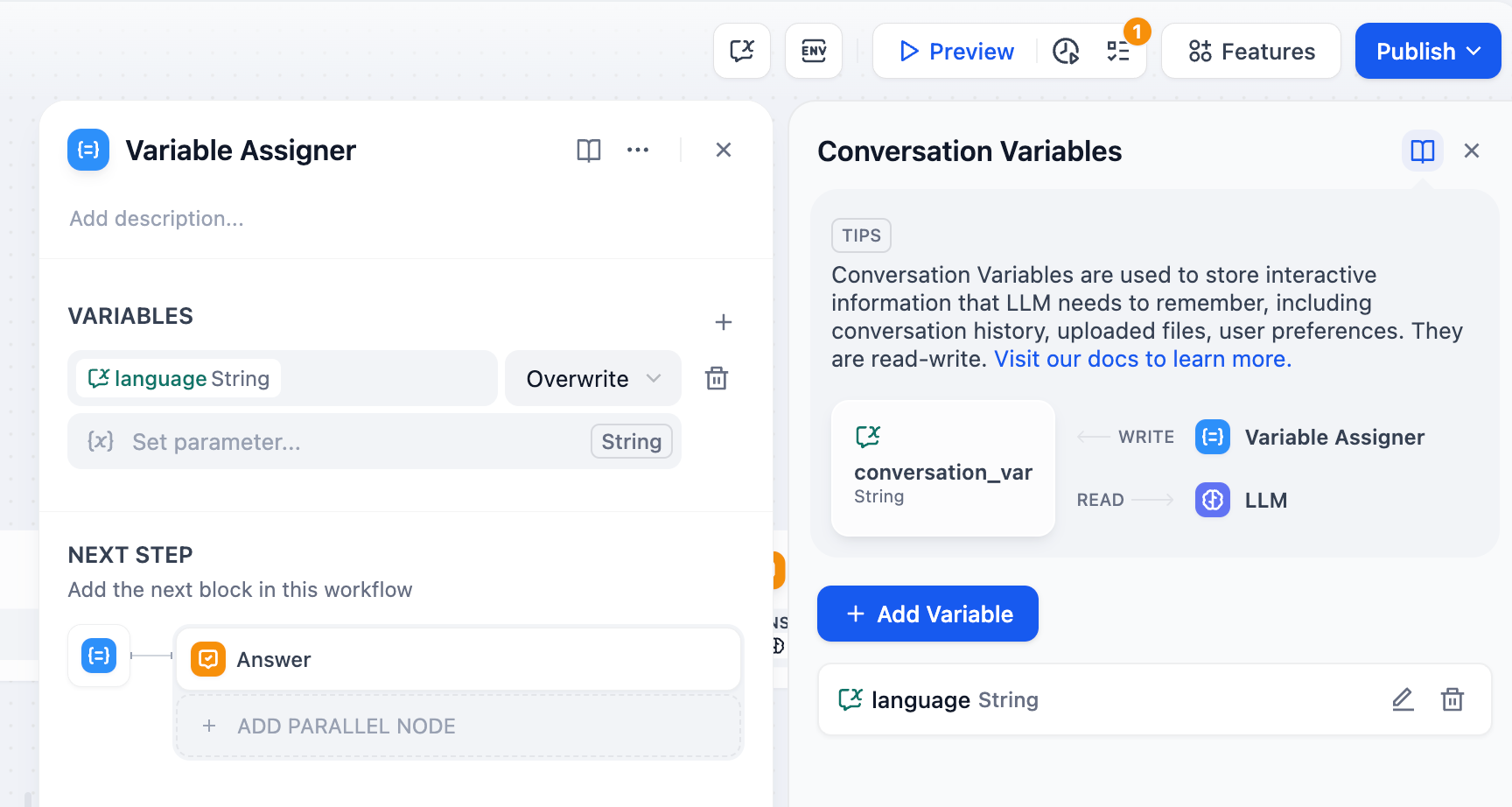
The Variable Assigner node manages persistent data in chatflow applications by writing to conversation variables (Understand the different types of variables here). Unlike regular workflow variables that reset with each execution, conversation variables persist throughout an entire chat session.
Conversation Variables vs Workflow Variables
Workflow Variables exist only during a single workflow execution and reset when the workflow completes.
Conversation Variables persist across multiple conversation turns within the same chat session, enabling stateful interactions and contextual memory.
This persistence enables contextual conversations, user personalization, stateful workflows, and progress tracking across multiple user interactions.
Configuration
Configure which conversation variables to update and specify their source data. You can assign multiple variables in a single node.
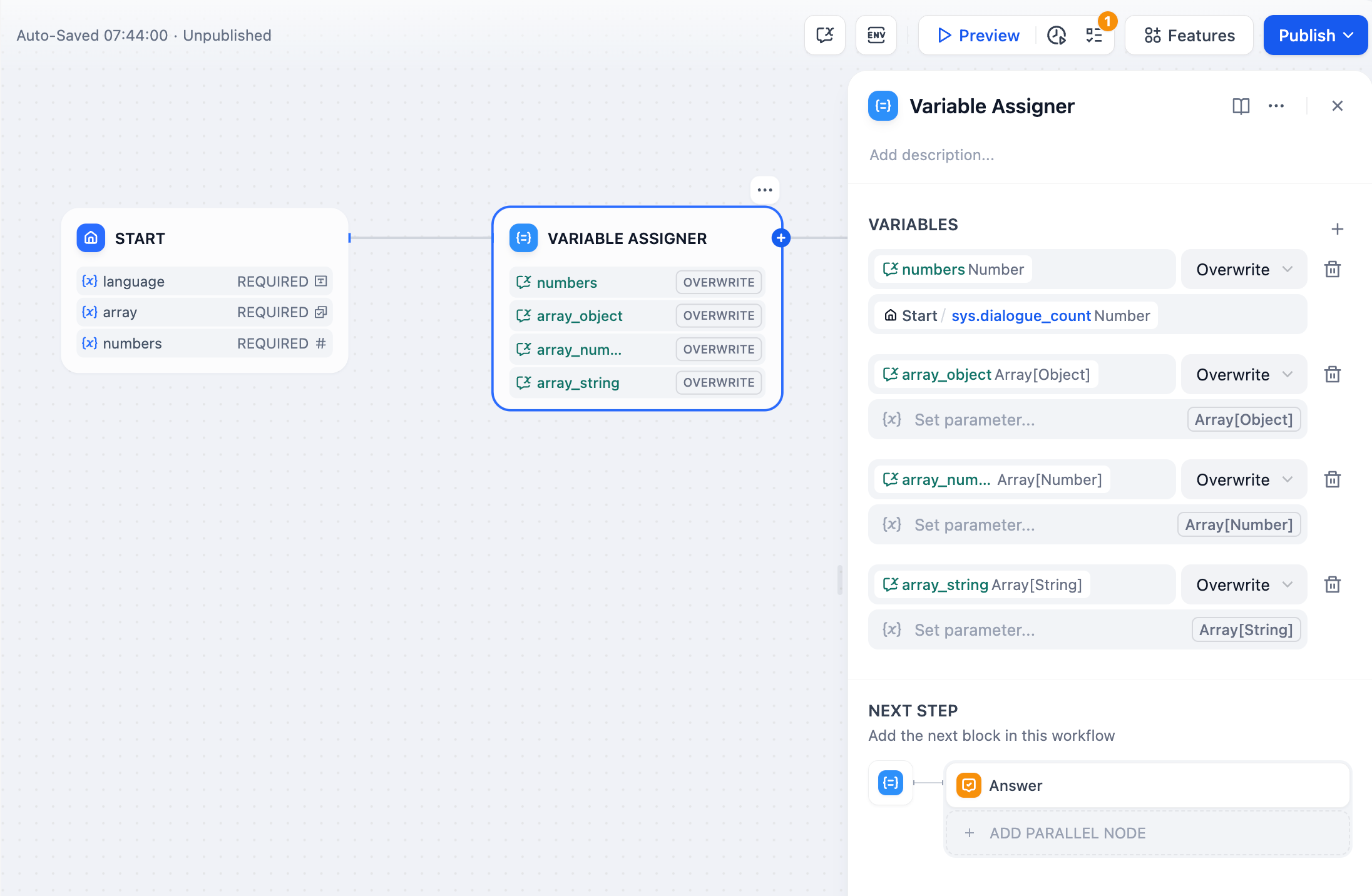
Variable - Select the conversation variable to write to
Set Variable - Choose the source data from upstream workflow nodes
Operation Mode - Determine how to update the variable (overwrite, append, clear, etc.)
Operation Modes
Different variable types support different operations based on their data structure:
String
Number
Boolean
Object
Array
-
Overwrite - Replace with another string variable
-
Clear - Remove the current value
-
Set - Manually assign a fixed value
-
Overwrite - Replace with another number variable
-
Clear - Remove the current value
-
Set - Manually assign a fixed value
-
Arithmetic - Add, subtract, multiply, or divide the current value by another number
-
Overwrite - Replace with another boolean variable
-
Clear - Remove the current value
-
Set - Manually assign a fixed value
-
Overwrite - Replace with another object variable
-
Clear - Remove the current value
-
Set - Manually define the object structure and values
-
Overwrite - Replace with another array variable of the same type
-
Clear - Remove all elements from the array
-
Append - Add a single element to the end of the array
-
Extend - Add all elements from another array of the same type
-
Remove First/Last - Remove the first or last element from the array
Array operations are particularly powerful for building memory systems, checklists, and conversation histories that grow over time.
Common Implementation Patterns
Smart Memory System
Build chatbots that automatically detect and store important information from conversations:
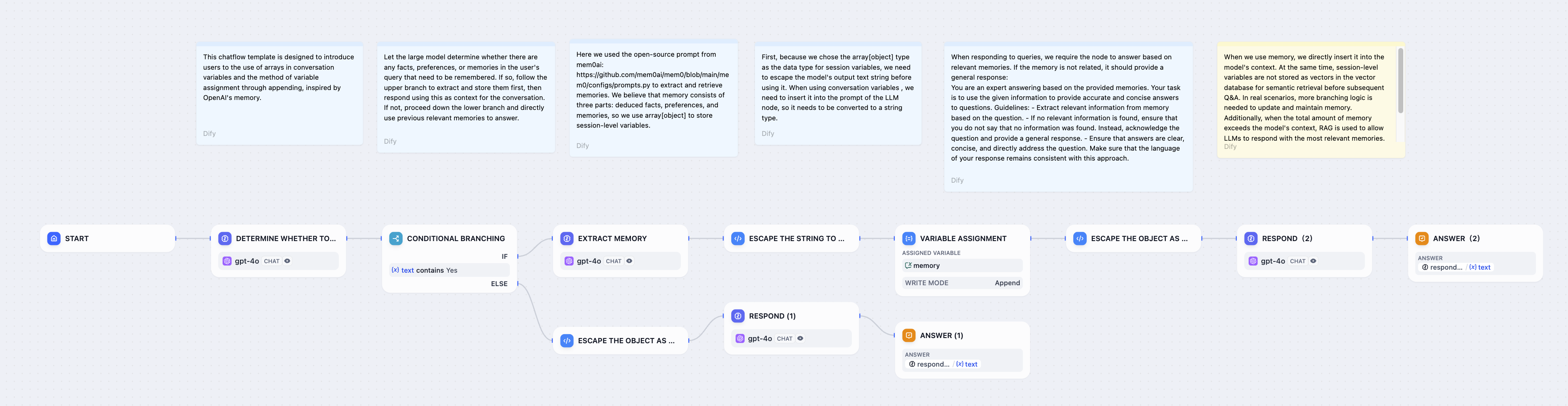
The system analyzes user input for memorable facts, extracts structured information, and appends it to a persistent memories array for future reference in conversations.
User Preferences Storage
Store user preferences like language settings, notification preferences, or display options:
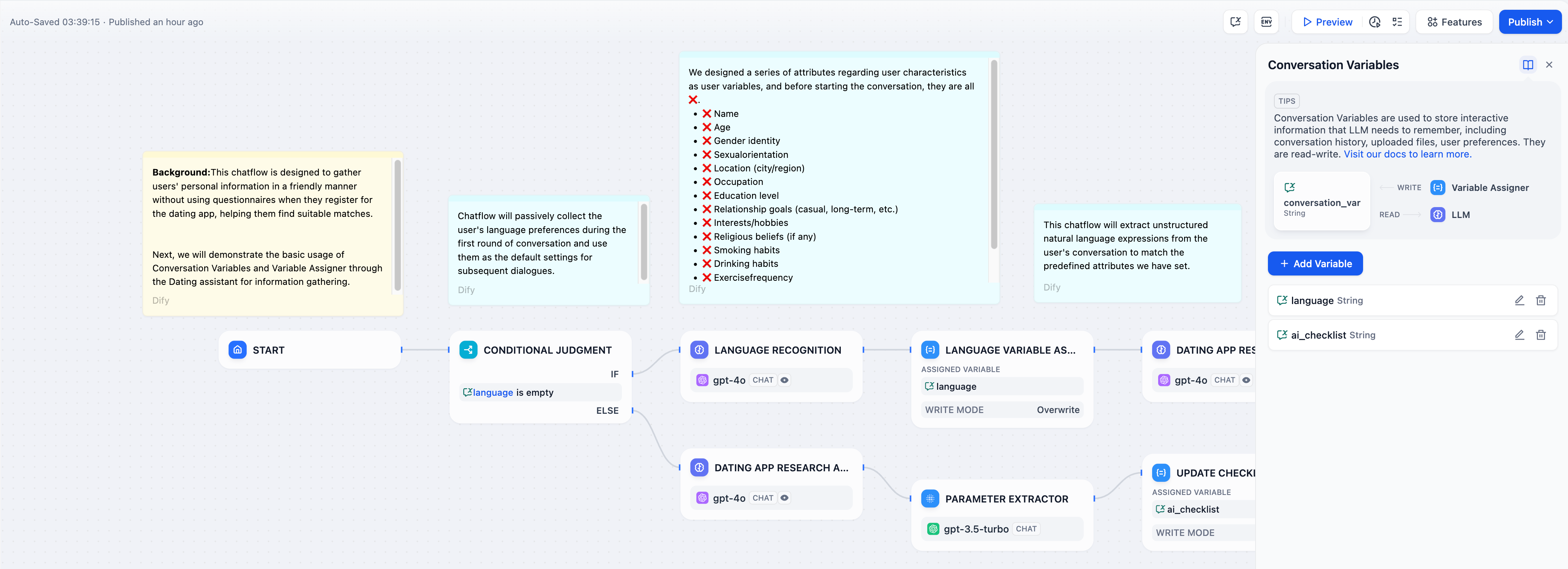
Use Overwrite mode to capture initial preferences from user input, then reference them in all subsequent LLM responses for personalized interactions.
Progressive Checklists
Build guided workflows that track completion status across multiple conversation turns:
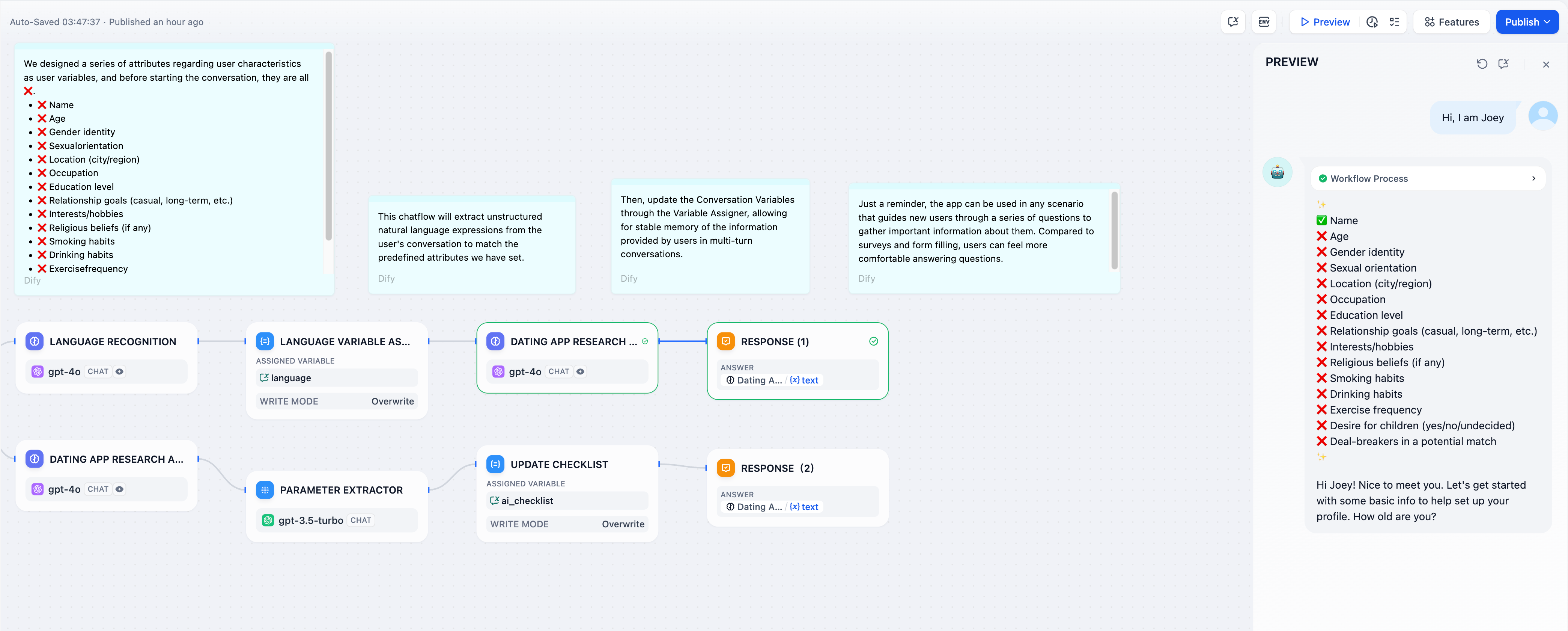
Use array conversation variables to track completed items. The Variable Assigner updates the checklist each turn, while the LLM references it to guide users through remaining tasks. Last modified on June 25, 2026