

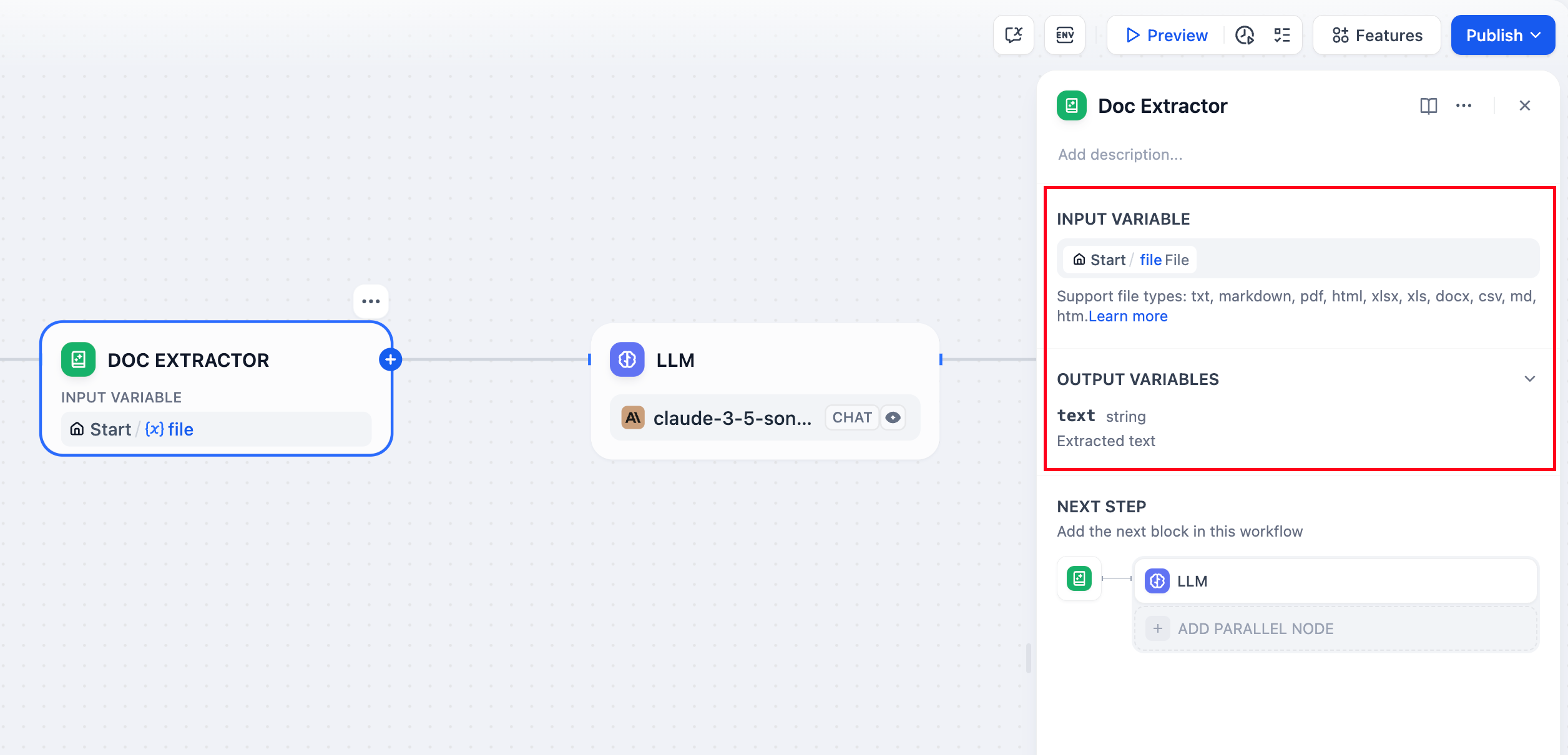
Document Extractor Node Configuration
Supported File Types
The node handles most text-based document formats: Text Documents - TXT, Markdown, HTML files with direct text content Office Documents - DOCX files from Microsoft Word and compatible applications PDF Documents - Text-based PDFs Office Files - DOCX files parse directly, with tables converted to Markdown. DOC and ODT files are also supported. Spreadsheets - Excel (.xls/.xlsx) and CSV files converted to Markdown tables Presentations - PowerPoint (.ppt/.pptx) files Email Formats - EML and MSG files for email content extraction Specialized Formats - EPUB books, VTT subtitles, JSON/YAML data, and Properties files Files containing primarily binary content like images, audio, or video require specialized processing tools or external services.Input and Output
Input Configuration
Configure the node to accept either: Single File input from a file variable (typically from the Start node) Multiple Files as an array for batch document processingOutput Structure
The node outputs extracted text content:- Single file input produces a
stringcontaining the extracted text - Multiple file input produces an
array[string]with each file’s content
text and contains the raw text content ready for downstream processing.
Implementation Example
Here’s a complete document Q&A workflow using the Document Extractor: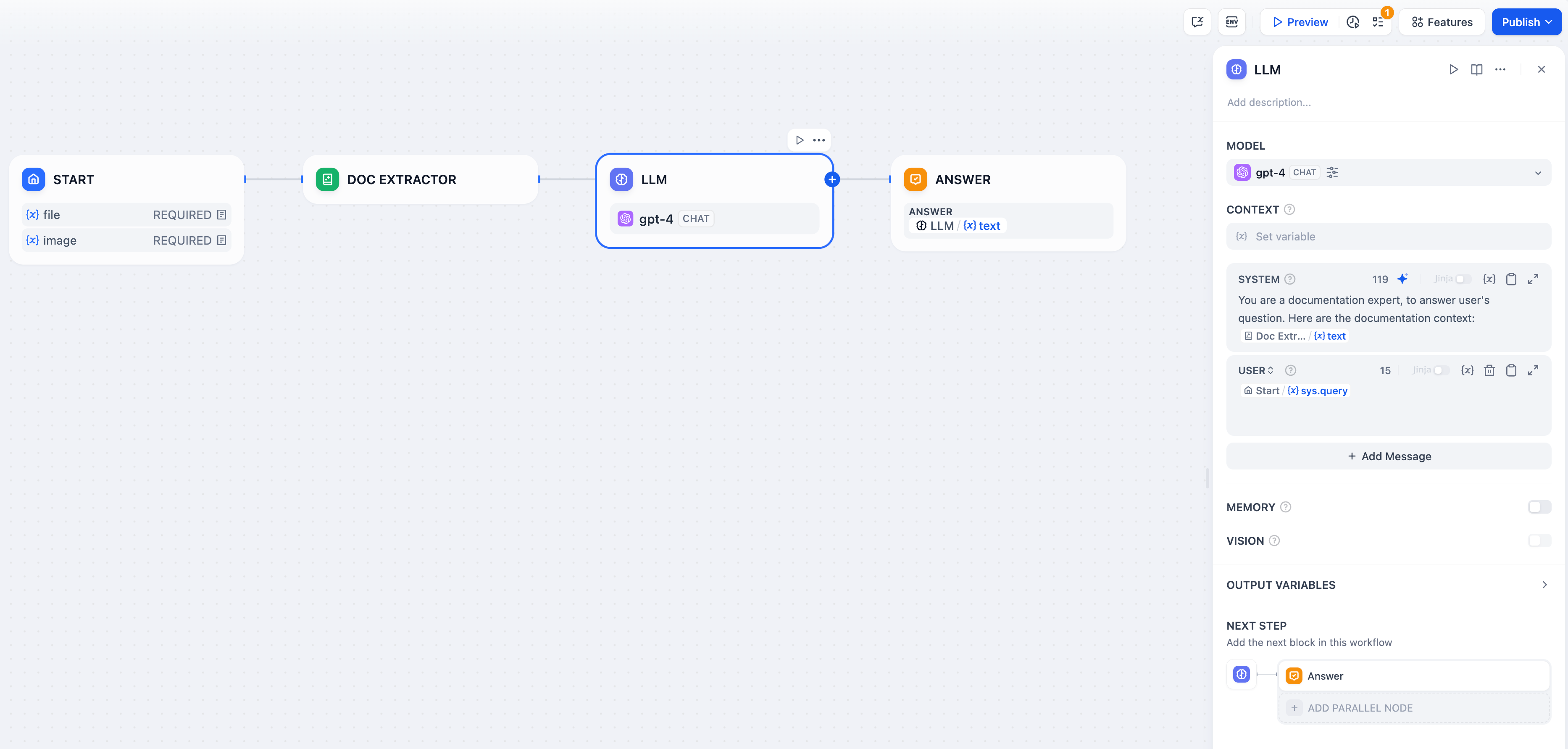
ChatPDF-style Workflow Implementation
Workflow Setup
File Upload Configuration - Enable file input in your Start node to accept document uploads from users. Text Extraction - Connect the Document Extractor to process uploaded files and extract their text content. AI Processing - Use the extracted text in LLM prompts for analysis, summarization, or question answering.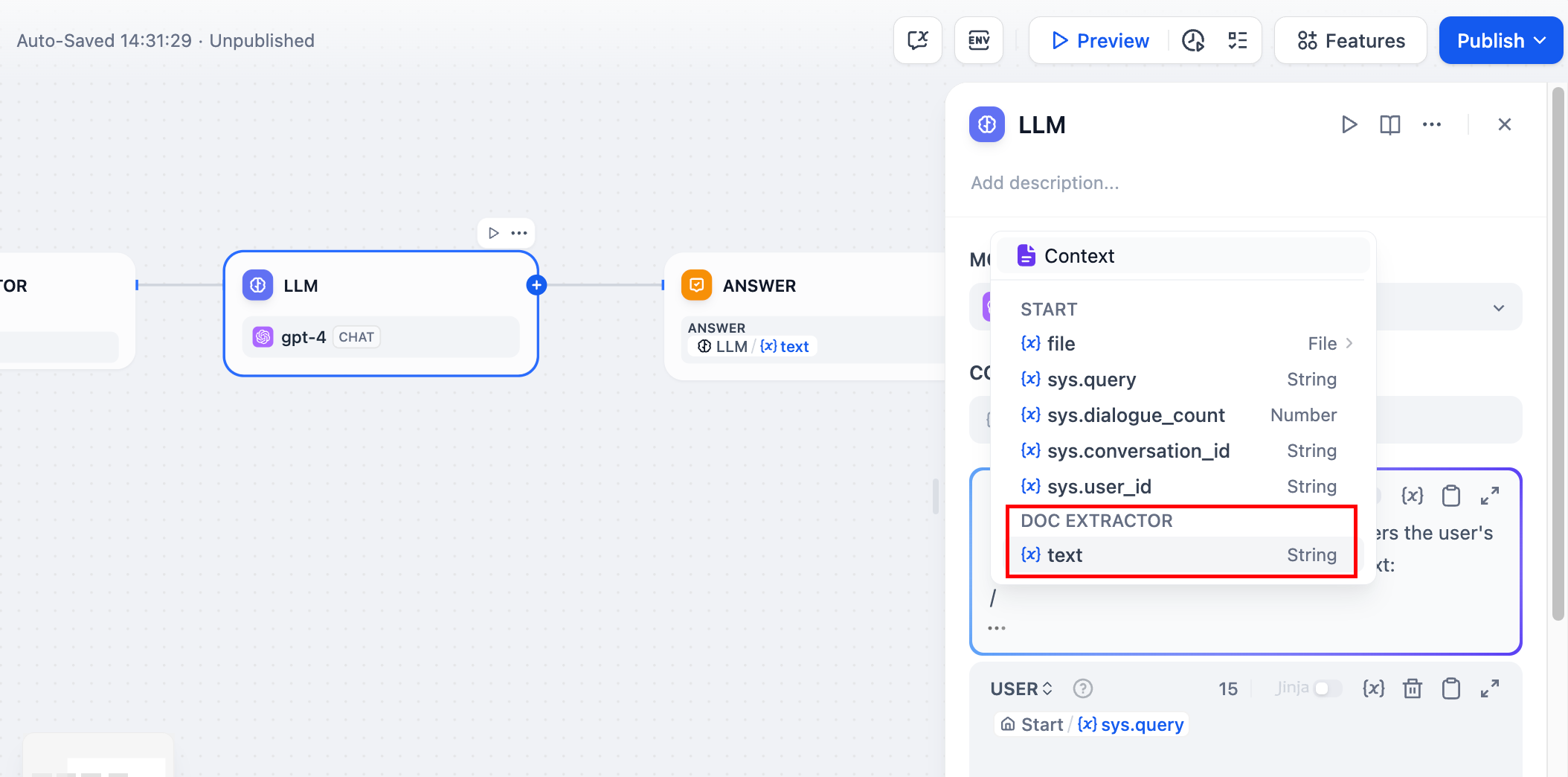
Document Processing in Action
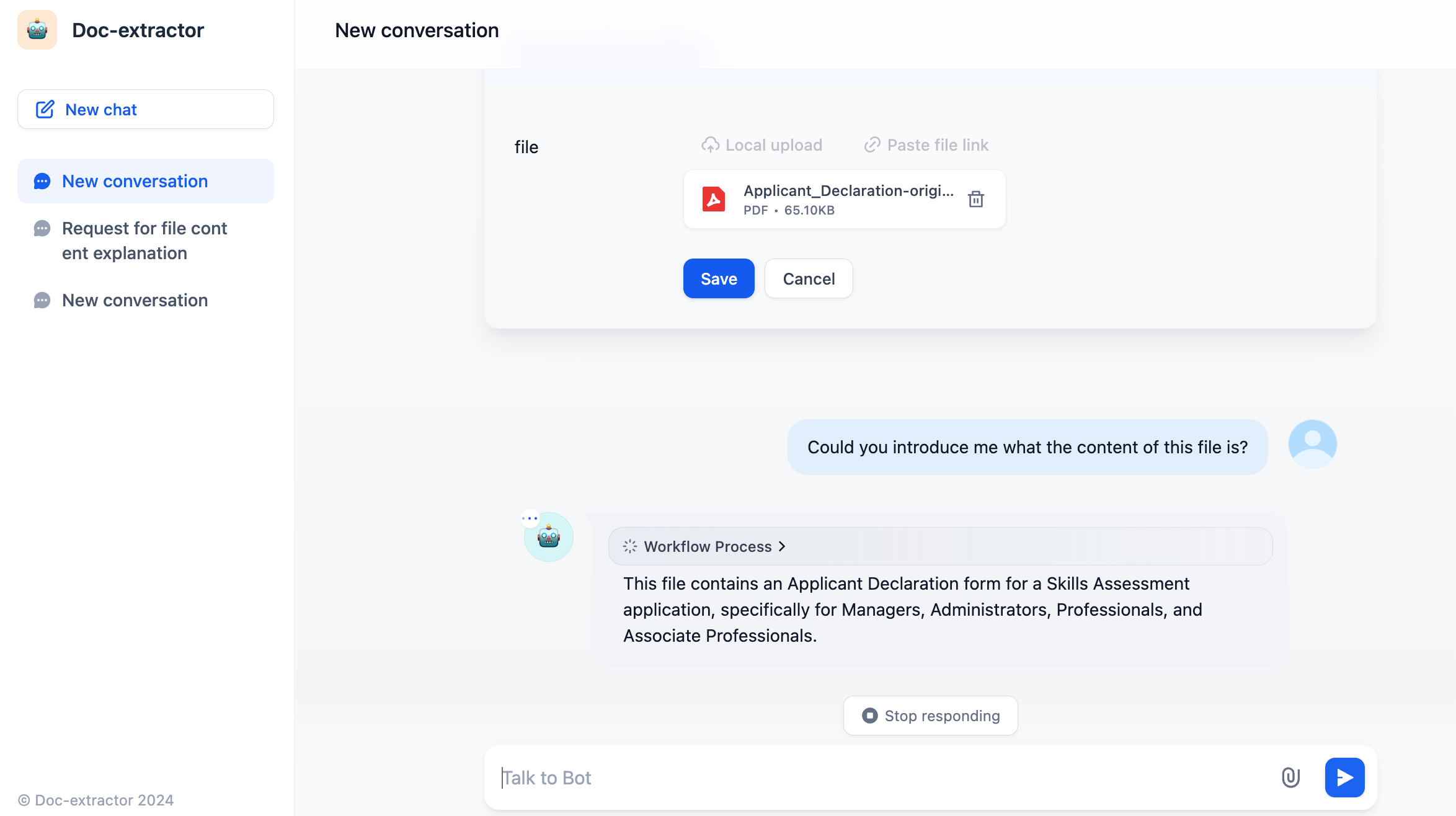
Chat Interface with Document Upload