

👋 Welcome to Dify 101
We are going to take you from Zero to Hero. By the end of this course, you will build your very own Advanced AI Email Assistant. Let’s leave coding behind for a second and talk about cooking. Imagine you want to cook a dish that you haven’t made before. To make that happen, you need a Recipe. A recipe is just like a workflow! It tells you exactly what to do, in what order, to get the dish you want.Meet Workflow
In Dify, you are the head chef who writes a Recipe for the AI to follow. Here’re the things you need to prepare beforehand:- Input (Ingredients): The information you give the AI. This could be a user’s question, a PDF document, or a messy email draft.
- Process (Instructions): The steps you force the AI to take. For example: First, summarize this text. Next, translate it into Spanish. Finally, format it as a LinkedIn post.
- Output (The Dish): The final result the AI hands back to you.
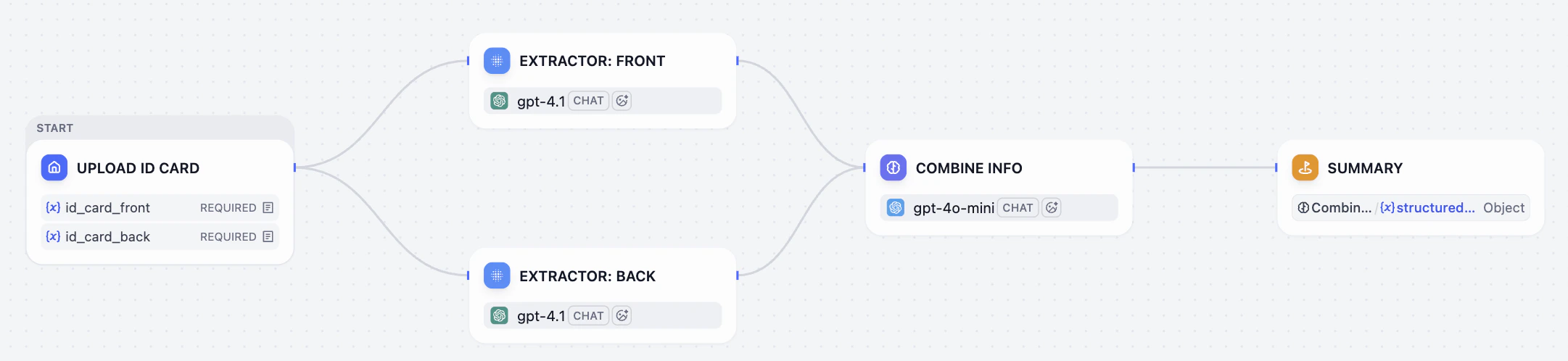
Node
Let’s have a closer look of the workflow above. That whole process is simply made up of a few connected steps: Uploading the image, Extracting the information, and Combining the results. Each of these steps is called a Node. Think of them like runners in a relay race: each node has a specific task. Once it finishes its turn, it passes the baton to the next node in line. Dify offers you a box of ready-to-use nodes, such as the LLM, Knowledge Retrieval, If/Else, Tools, etc. You can connect these nodes just by dragging and dropping—it’s like building with the Lego blocks! You can easily snap them together to create a powerful automated workflow.It’s Your Turn
- Go Dify and click Get Started in the upper right corner.
-
Click on Explore. This is a library which collects different workflow of different scenarios.
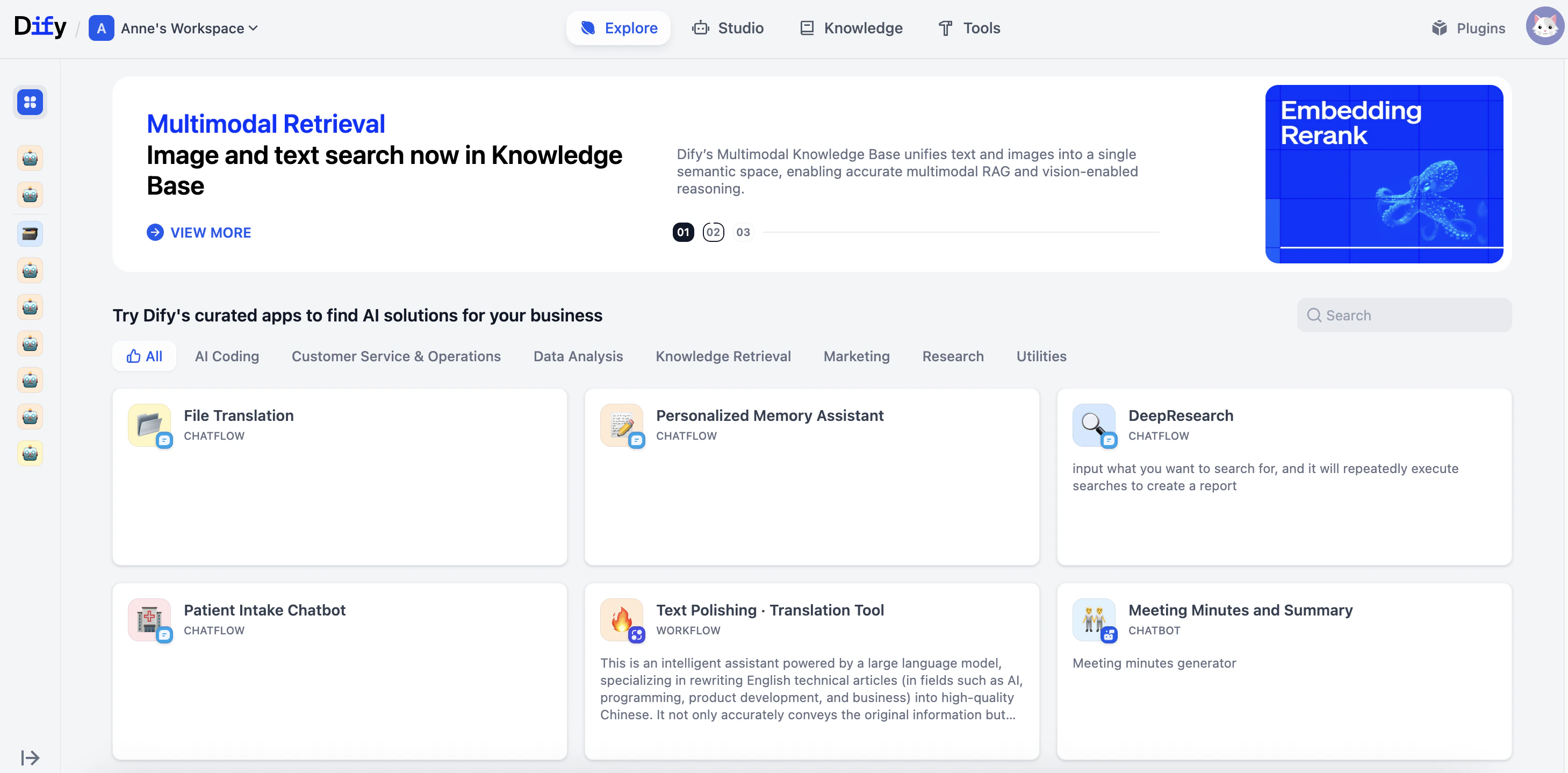
- Pick a template that looks like a right fit for you. Don’t worry if you don’t understand every setting yet—just look at how the nodes are connected.